
Edit an image with Qwen Image 2.1
Edit a reference with Qwen Image 2.1. Compare a real color change, prepare your upload and check what the edit preserved.
Last updated: 2026-10-15
Change one thing first
Select Edit image in the workspace. Sign in, then upload a PNG, JPEG, or WebP under 10 MB. Start with a clear reference you have permission to use.
Our test used the poster from the prompt guide and this instruction:
Keep the poster layout and the words FORM & FIELD exactly the same. Change the ceramic vase from pale blue to deep cobalt blue. Keep the orange flower.
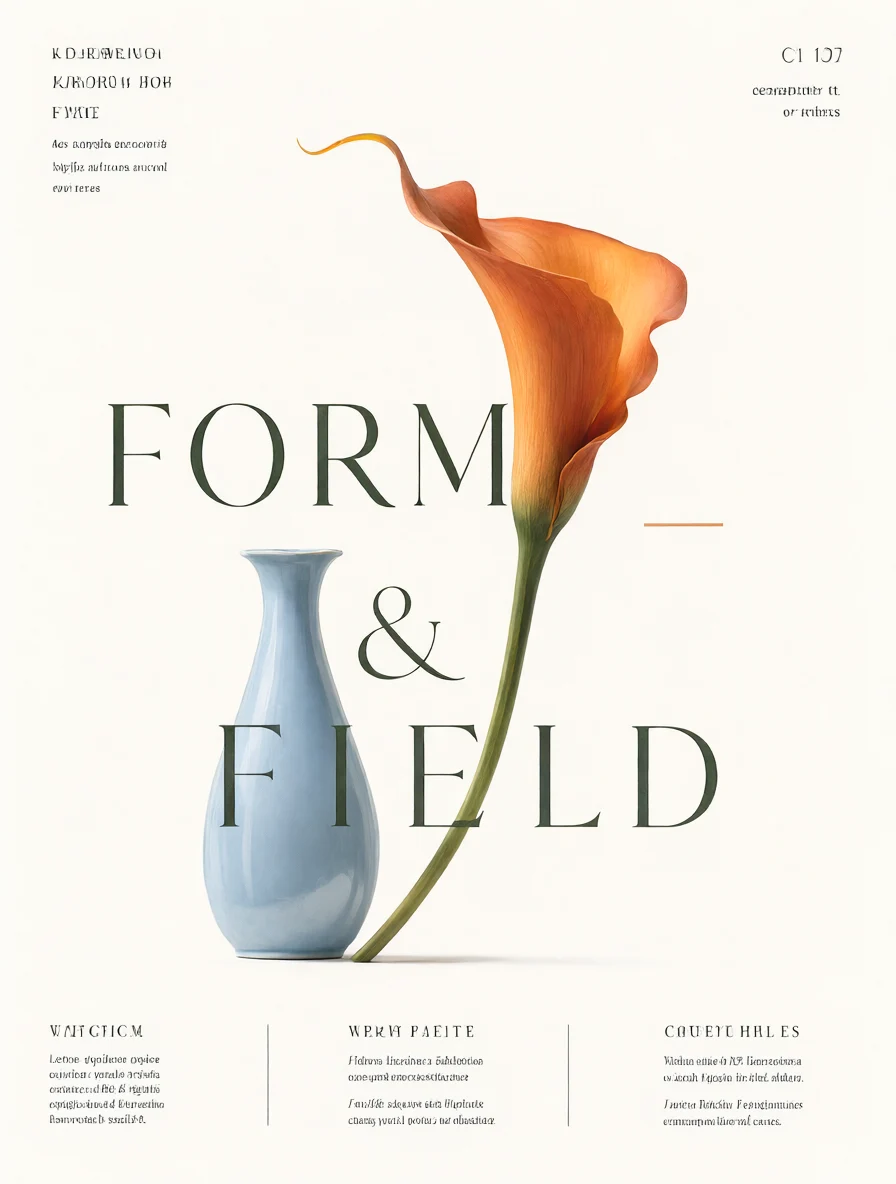
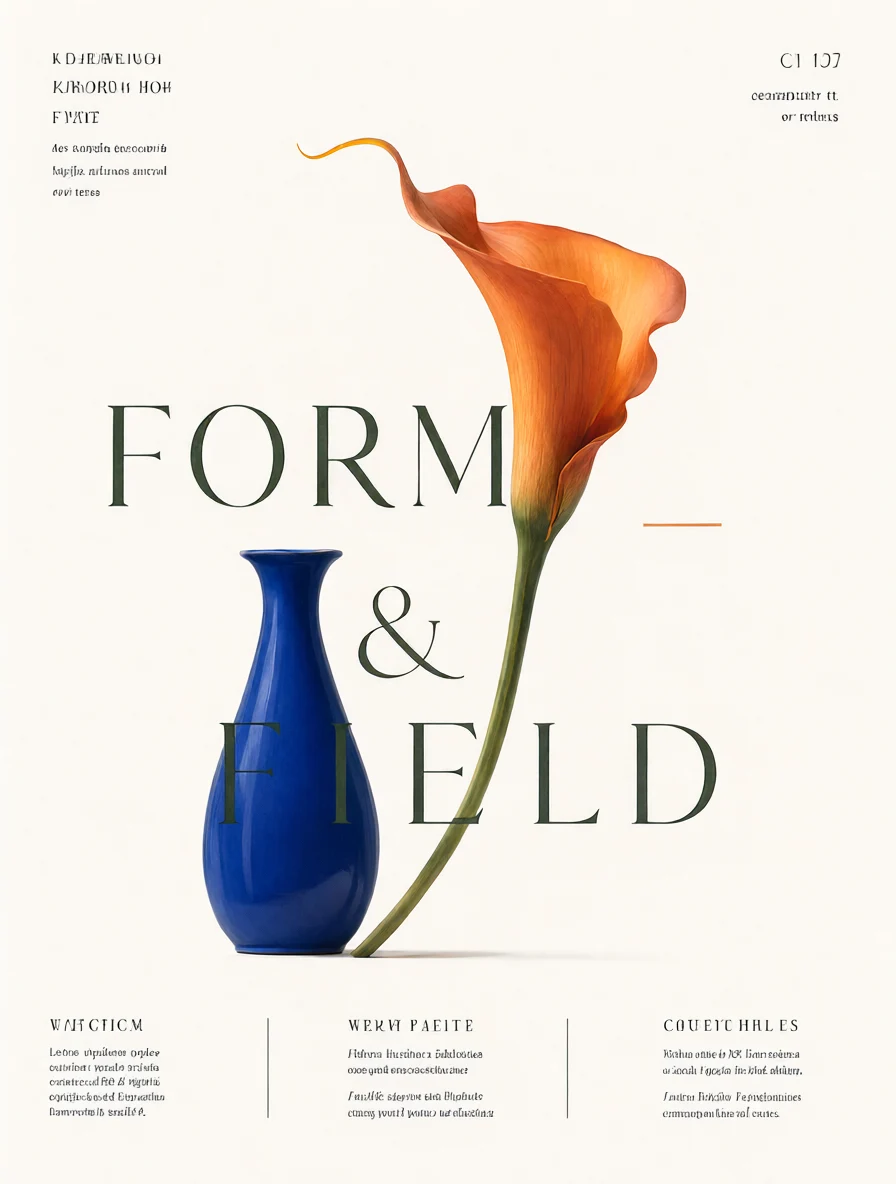
The 1K edit completed successfully in our October 15 test. Compare the two files yourself: an edit can change details outside the requested area. This workspace uses a reference and text instruction; it does not provide a brush mask or guarantee pixel-identical preservation.
Make the instruction specific
Describe the object, the desired change, and what must remain. Avoid asking for several unrelated edits in the first attempt. Download a successful result before making another variation.
Upload or generation failed?
Try a supported file under 10 MB, confirm you are signed in, and check your credits. With Qwen Image 2.1, an edit costs 35 credits at 1K or 65 at 2K. Other models have different rates; see model costs. A confirmed failed generation returns its credits; a task still processing is not yet a failed task.